Mastering the Neon Gradient 3D Text Effect: A Complete Guide for Adobe Illustrator Users
If you're looking to create eye-catching, modern text designs that stand out in digital media, the Neon Gradient 3D Text Effect is a powerful tool to add to your creative arsenal. This fully editable vector design allows users to scale the text to any size without compromising quality, making it ideal for a variety of creative and professional applications. Whether you're a seasoned designer or just starting out, understanding how to work with this effect can elevate your visual projects significantly.
What Is the Neon Gradient 3D Text Effect?
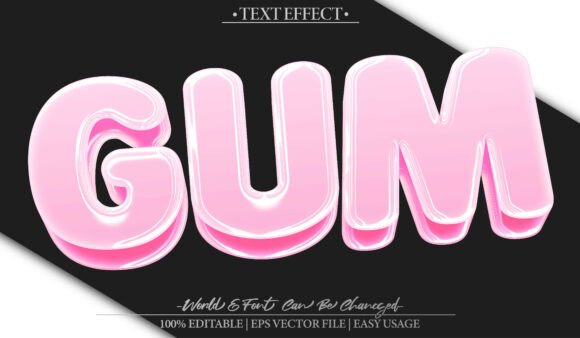
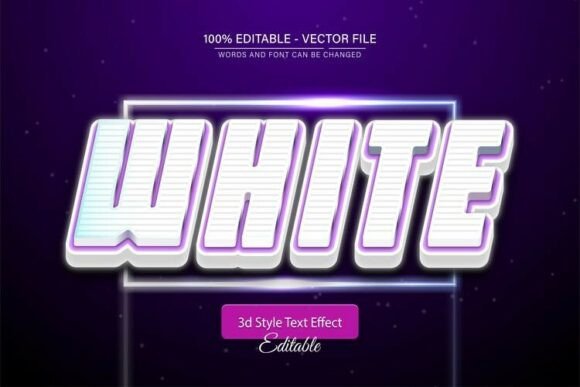
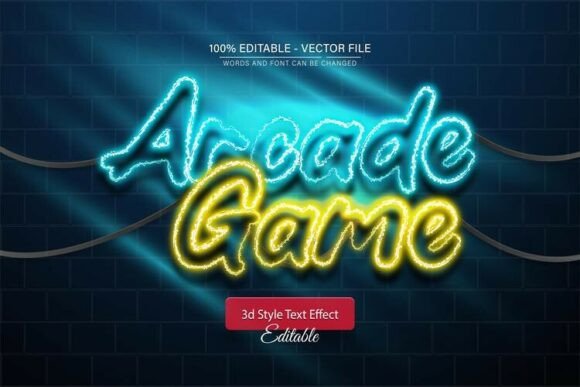
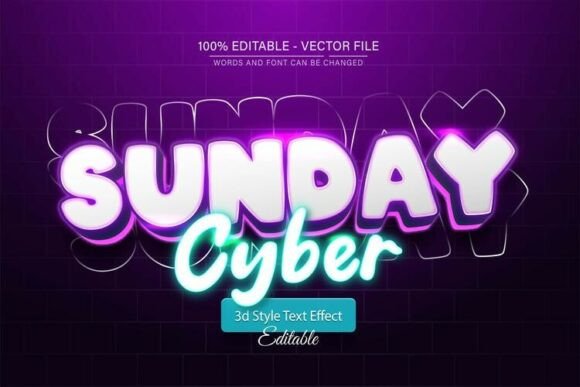
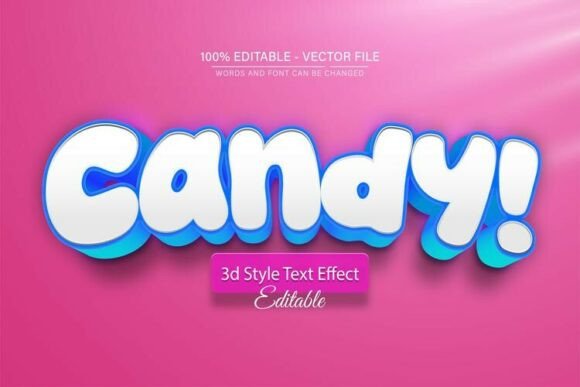
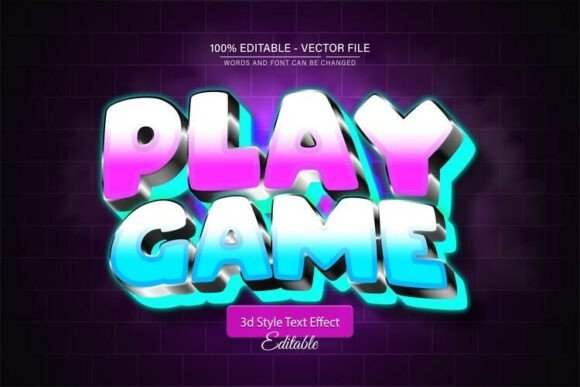
The Neon Gradient 3D Text Effect is a visually striking design element that mimics the glowing, layered appearance of neon signs. When applied in Adobe Illustrator, it transforms standard text into a vibrant, three-dimensional graphic with customizable gradients and lighting effects. What sets this design apart is its vector format, which allows for infinite scalability without any loss of quality. Whether you're using it for a website header, logo, or social media graphic, this effect ensures your text remains crisp and clear at any size.
Key Features of the Neon Gradient 3D Text Effect
- Fully Editable Vector Design: The text can be resized infinitely without pixelation or distortion, thanks to its vector-based format.
- Supports EPS and JPG Formats: The design is available in both EPS (for vector editing) and JPG (for quick previews or use in non-vector software).
- Unlimited Color Variations: Customize the neon glow, background, and gradient to match your brand or aesthetic.
- Easy to Edit: No advanced design skills are required. With basic Adobe Illustrator knowledge, you can modify the text and effects in minutes.
- Includes Font Information: The package often includes details about the fonts used, many of which are free and easily accessible online.
Why Use the Neon Gradient 3D Text Effect?
In today's visually driven digital landscape, standing out is more important than ever. The neon gradient 3D effect offers a modern, dynamic look that captures attention and communicates energy and innovation. Here are a few reasons why this design element is both practical and appealing:
1. Enhances Visual Appeal
Whether you're designing a poster, a logo, or a website banner, adding a neon glow effect can dramatically enhance the visual appeal of your text. The 3D depth and gradient lighting give your design a professional, polished look that's hard to ignore.
2. Versatile for Different Uses
This text effect is suitable for a wide range of applications, including:
- Marketing and advertising materials
- Website headers and buttons
- Social media graphics
- Print media such as posters and flyers
- Branding elements like logos and slogans
3. Saves Time and Effort
Instead of designing a neon text effect from scratch, which can be time-consuming and technically challenging, using a pre-made template allows you to jump straight into customization. You can focus on creativity rather than technical execution.
How to Edit the Neon Gradient 3D Text Effect in Adobe Illustrator
Editing the neon text effect is a straightforward process, even for beginners. Here's a step-by-step guide to help you get started:
- Open the File: Launch Adobe Illustrator (CS or higher) and open the provided EPS file.
- Select the Text: Press the "T" key on your keyboard to activate the Text Tool, then click on the text layer you wish to edit.
- Edit the Text: Replace the placeholder text with your desired message. Since the text is fully editable, you can change the font, size, spacing, and alignment as needed.
- Customize the Effect: Explore the layers and appearance panels to adjust colors, gradients, and 3D effects. You can tweak the neon glow, background, and light reflections to suit your design goals.
- Save or Export: Once you're satisfied with the design, save the file in your preferred format (EPS for further editing or JPG for sharing).
Common Misconceptions About Neon Text Effects
While neon-style text effects are popular, there are a few common misconceptions that users should be aware of:
- Neon effects are only for nightlife or retro designs: While neon is often associated with clubs and retro aesthetics, it can be adapted for modern, minimalist, or even corporate designs with the right color choices and layout.
- You need advanced skills to use them: Thanks to editable vector templates, even users with minimal Adobe Illustrator experience can create stunning neon text effects.
- They look pixelated when enlarged: This is only true for raster-based effects. Vector-based neon text effects maintain their clarity at any size.
Who Can Benefit from Using the Neon Gradient 3D Text Effect?
This design tool is ideal for a wide range of users, including:
- Graphic Designers: Speed up your workflow with pre-made, customizable templates.
- Marketers and Business Owners: Create attention-grabbing promotional materials and branding assets.
- Content Creators: Enhance your social media posts, thumbnails, and video titles with a professional neon look.
- Students and Educators: Use the effect to make presentations and educational materials more engaging.
- Web Developers: Integrate neon text into website designs for a modern UI/UX experience.
Best Practices for Using Neon Gradient 3D Text
To get the most out of this design effect, consider the following best practices:
- Use Contrasting Backgrounds: Neon text stands out best against dark or muted backgrounds to enhance the glow effect.
- Avoid Overuse: While neon text is eye-catching, using it excessively can overwhelm your audience. Use it strategically for headlines or key messages.
- Test Across Devices: Ensure your neon text remains legible on both desktop and mobile screens.
- Pair with Complementary Fonts: Choose fonts that match the energetic and bold nature of neon effects, such as sans-serif or script fonts.
Conclusion: Elevate Your Designs with Neon Gradient 3D Text
The Neon Gradient 3D Text Effect is more than just a flashy design trend—it's a versatile and powerful tool that can elevate your creative projects across various platforms. Whether you're designing for print, digital media, or personal use, this fully editable vector effect offers flexibility, scalability, and style. With Adobe Illustrator and a bit of creativity, you can transform simple text into a vibrant, glowing masterpiece that captivates your audience and leaves a lasting impression.
Ready to try it out? Download the Neon Gradient 3D Text Effect today and start experimenting with unlimited color variations, easy editing, and stunning visual results—no advanced skills required!